Most riders should buy the Sport, and in 2026 most riders still do. It's Fliteboard's standard battery for a reason: up to an hour and a half of foil time at 23.4 lb, which covers a normal morning on the water without punishing you on the walk back to the car.
Two riders should not. If you're light, ride in short sharp sessions, or carry your gear any real distance across soft sand, the Nano saves you nearly ten pounds and gives up time you were never going to use. If you ride long, ride heavy, or hand one board around a group all afternoon, the Explore is the only one of the three that lasts.
Which of those you are comes down to three things: how long your sessions actually run, how much weight you're willing to carry, and which board it's going on. The Series 6 lineup stretches from the inflatable AIR to the RACE, and the right answer isn't the same at both ends of it.
Which Flitecell should I buy for my Fliteboard?
The Sport, unless one of the two exceptions above is you. It's what Fliteboard fits as standard, and it's the one that suits the widest spread of riding without being remarkable at either end.
There's also a faster way to settle this than reading any spec sheet, including this one. You can rent the battery you're unsure about, ride a full session on it, and find out what you actually use. Most of the second-guessing on this page dissolves after one morning with the thing in the board.
Buying the wrong battery is a decision you live with for years. Renting one is a decision you live with for an afternoon.
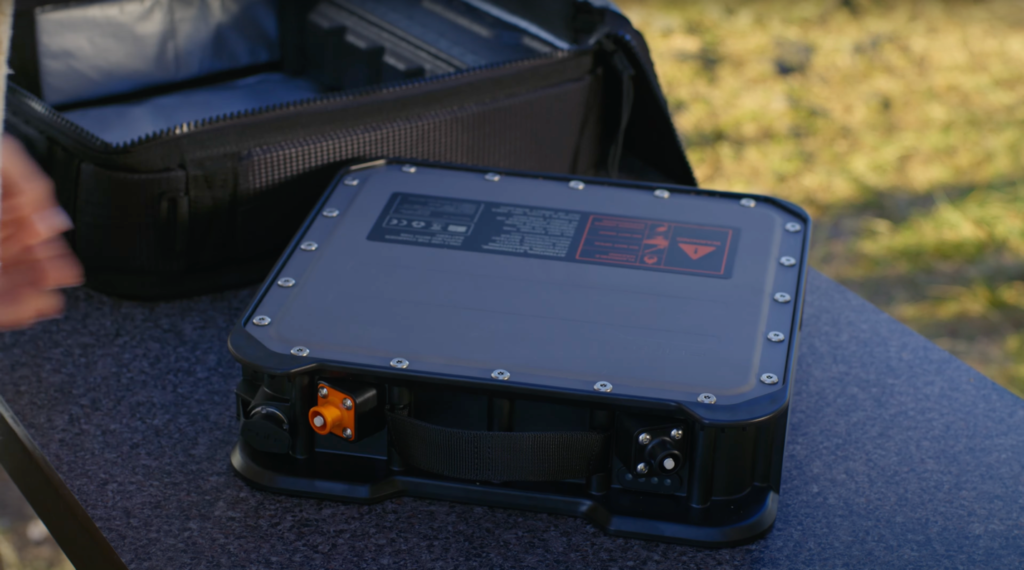
Flitecell Nano, Sport and Explore side by side
Flitecell Nano
Flitecell Sport
Flitecell Explore
Foil time
up to 45 minutes
up to 1.5 hours
up to 2.5 hours
Capacity
0.8 kWh
1.6 kWh
2.1 kWh
Weight
13.7 lb (6.2 kg)
23.4 lb (10.6 kg)
31 lb (13.9 kg)
Fliteboard's standard cell
Yes
Line up the capacity row against the weight row and the decision gets simpler. The Explore holds about two and a half times the energy of the Nano and weighs about two and a quarter times as much. The Sport sits in between on both counts. Range tracks weight almost one for one across the three, which means there's no clever option here, no version that quietly hands you more for free. Range is sold by the pound, and you carry every one of them.
That reframes the question. You're not really choosing a battery, you're choosing how much weight you'll walk with in exchange for how long you stay out. A dock or a boat ramp makes that trade almost free. A 30A beach access with a boardwalk and a stretch of soft sand at the end of it makes it the whole decision.
One thing worth knowing before you read prices anywhere: the Sport is Fliteboard's standard cell, but it is not what every board ships with. Several Series 6 configurations include the Nano and price the Sport as an upgrade. Which battery is bundled with your board changes what the real difference costs you, so check the configuration rather than assuming.
Which board you're putting it on changes the answer too, and if you're still choosing that, start with the 2026 Fliteboard buyer's guide and come back here.
How long do you actually ride in one session?
This is where most battery advice quietly misleads people, including some of Fliteboard's own numbers, and it's worth being straight about.
The spec sheet says the Sport gives up to 1.5 hours. Fliteboard's own article on battery life says most eFoil batteries deliver "between 60 and 90 minutes of ride time, under average conditions." Both are true. They're describing different things. The first is foil time, meaning the motor is running and you're flying. The second is closer to a session.
Fliteboard names what moves the number, and none of it is marketing. A heavier rider may see 60 minutes where a lighter rider sees 90 on the same battery. A bigger wing lifts at lower speed and sips power; a smaller wing wants speed and drinks it. Chop costs more than glass, which around here is the difference between a dawn session on one of the coastal dune lakes and the same session out in the Gulf two hours later once the wind fills in. And beginners, in their words, "deplete batteries quickly" because they're constantly starting, stopping and touching down.
Now put that on a real morning. You get to Lake Powell early, rig up, and spend the first stretch getting your feet under you. You fall, you swim back, you restart. You ride a few good laps, then float for ten minutes talking to whoever else is out. You go again. By the time you're genuinely done, the clock says two hours and the battery has been under load for maybe fifty minutes of it.
One of our customers put it plainly in a review: he was "up and foiling within 30 minutes." That's a good first session. It's also a first session where the motor spent most of its time idle.
If you're new, you'll run out of arms and legs long before you run out of Sport. If you have been riding for years and you're doing continuous laps at speed, that same battery goes considerably faster. The honest way to find out which of those is you is to ride a session and watch the gauge, rather than buying range on a guess.
Should I get the Flitecell Nano?
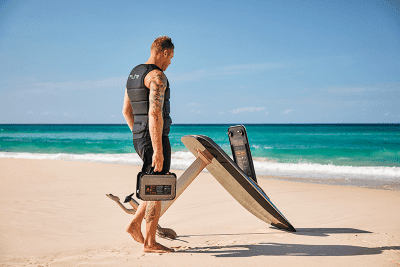
The Nano is the smallest and lightest battery in the lineup at 13.7 lb, with up to 45 minutes of foil time. It's the one that makes the whole rig feel like something you can pick up with one arm.
Take it if you're a lighter rider, if your sessions are short and sharp rather than long and wandering, if you travel with your board, or if there's any real distance between where you park and where you launch. Soft sand and a long carry punish every pound twice, once out and once back, and most of the good launches between Santa Rosa Beach and Inlet Beach involve some of both.
Skip it if you cruise for an hour at a stretch, if you're a heavier rider, or if you're the kind of person who is annoyed rather than relieved when a session ends early. Forty-five minutes of foil time is genuinely enough for a lot of riders and genuinely not enough for some. If it's the one you want, the Flitecell Nano is $2,310.
Weight is worth thinking about as a whole-setup decision rather than a battery one. The other place it shows up is underneath you, in the mast you choose, where carbon and aluminium pull in different directions on both weight and feel.
Should I get the Flitecell Sport?
The Sport is 23.4 lb, gives up to 1.5 hours of foil time, and is the battery Fliteboard fits as standard. It's the default answer here for the unglamorous reason that it is right most of the time.
Ten pounds heavier than the Nano is a real difference, and you notice it on the carry. What you get for it is the freedom to stop thinking about the battery. For most riders on most days, a Sport outlasts the session, which means the decision quietly disappears instead of following you onto the water.
The case against it is narrow and honest: if you're consistently the last person off the water, or you're running one board through a family all afternoon, the Sport is the battery you'll end up wishing was an Explore. Otherwise, the Flitecell Sport is $2,860 and it's what most builds leave with.
Because it comes as standard, the Sport is also the baseline every other price on a Fliteboard build is measured against. If you're working out where the rest of your money goes, we break down what a full configuration actually costs.
Should I get the Flitecell Explore?
The Explore is 31 lb, holds 2.1 kWh, and gives up to 2.5 hours of foil time. It's the most battery Fliteboard makes and it feels like it.
It earns its weight in three situations, and they're more specific than "you want more range."
Distance riding, where the point of the session is to go somewhere and come back rather than to lap the same stretch.
Sharing. One board, one battery, a family or a group taking turns through an afternoon, where the thing that ends the day should be sunburn and not charge.
Rider weight, since a heavier rider draws more power for the same ride.
The trade isn't subtle. Against a Nano you're carrying an extra seventeen pounds, and you'll feel it every time the board comes out of the water. If you launch off a dock on the bay or straight off a boat, that barely registers. If you're walking it down a beach access at Seagrove or Blue Mountain with a hundred yards of soft sand at the end, it is the whole decision.
The Flitecell Explore is $3,960, the most expensive of the three by a clear margin. On rider weight specifically, the battery is one input and not the most important one. Wing, board volume and setup do more, and we work through the whole thing in our guide to eFoil setups for riders over 200 lb.
Which battery should I buy with my Series 6 board?
Most Series 6 boards take all three Flitecells, but not all of them, and the exceptions catch people out. The ULTRA L3, the Flite AIR and the AIR PRO aren't compatible with the Explore at all. The FliteScooter goes the other way and doesn't offer the Nano.
One thing cuts across all of them: the wing on the front of your mast changes the draw as much as the board does. A larger wing lifts earlier and at lower speed, which is easier on the battery, while a smaller, faster wing asks for more power to stay up. If that part is still open, which Fliteboard wing suits your riding is worth reading alongside this.
What battery should I buy with the Fliteboard ICON?
The ICON takes all three. It's the all-rounder of the range, and the battery is where you decide what kind of all-rounder you want it to be. Sport if you want it to disappear as a question, Nano if you value how light the whole rig feels in your hands, Explore if your sessions run long. What the board itself is built to do is covered in our 2026 ICON guide, and you can pick your battery while you build one on the ICON Carbon configuration page.
What battery should I buy with the Fliteboard PRO?
The PRO takes all three as well, but we usually steer people toward the Nano or the Sport. The PRO's appeal is how quickly it responds and how easily it turns, and hanging the heaviest battery in the range off it works against the reason you chose it. It ships with the Nano included and prices the other two as upgrades, which tells you what Fliteboard thinks this board is for. Our 2026 PRO review goes into what that responsiveness actually feels like, and you can spec one on the PRO Carbon configuration page.
What battery should I buy with the ULTRA L3?
The ULTRA L3 runs the Sport or the Nano, and it's not compatible with the Explore. That restriction fits the board: it's the surfy, wave-oriented board in the range and it's already the lightest thing Fliteboard builds, so most riders keep it that way with the Nano. The Sport is the sensible step up if you want more time without giving away the feel. We make the same case in our ULTRA L3 guide, where the lighter setup is the whole point of the board, and the ULTRA L3 configuration page offers exactly those two.
What battery should I buy with the RACE?
The RACE takes all three, and it's the one board in the range that carries the Explore well: the extra weight doesn't blunt it the way it would on a PRO or an ULTRA. That matters, because speed is the most expensive thing you can ask a battery for, and the RACE exists to go fast. Sport if your runs are short and sharp. Explore if you're doing sustained speed and want the session to last. It ships with the Nano included, which is the lightest way to keep it sharp. We covered what the board does with that speed in our 2026 RACE review, and you can build one on the RACE configuration page.
What battery should I buy with my Flite AIR or AIR PRO?
The AIR and AIR PRO take the Nano or the Sport. Neither is compatible with the Explore, so the choice is genuinely between two. Our preference is the Sport. These are the inflatable boards, chosen by people who want the whole setup to pack down and travel, and the Sport is the point where range and portability stop fighting each other. The AIR ICON includes the Nano and prices the Sport as an upgrade, so going up is a deliberate choice rather than a default. Which of the two inflatables suits you is its own question, and we work through it in Flite AIR vs AIR PRO. You can spec one on the Flite AIR ICON configuration page.
What battery should I buy with my FliteScooter?
The FliteScooter runs the Sport or the Explore, and the Nano isn't offered on it. The Sport comes as standard and is plenty if it's going to be one person riding. If it's going to be passed around a family or a group, go Explore. The FliteScooter is the board most likely to be shared, and shared boards run out of battery long before anybody runs out of enthusiasm. If you're still deciding whether it's the right starting point at all, our FliteScooter guide covers that, and the FliteScooter configuration page shows both options.
Getting a Flitecell on the Emerald Coast
Buying a battery from a dealer you can drive to changes what the decision costs you if you get it wrong.
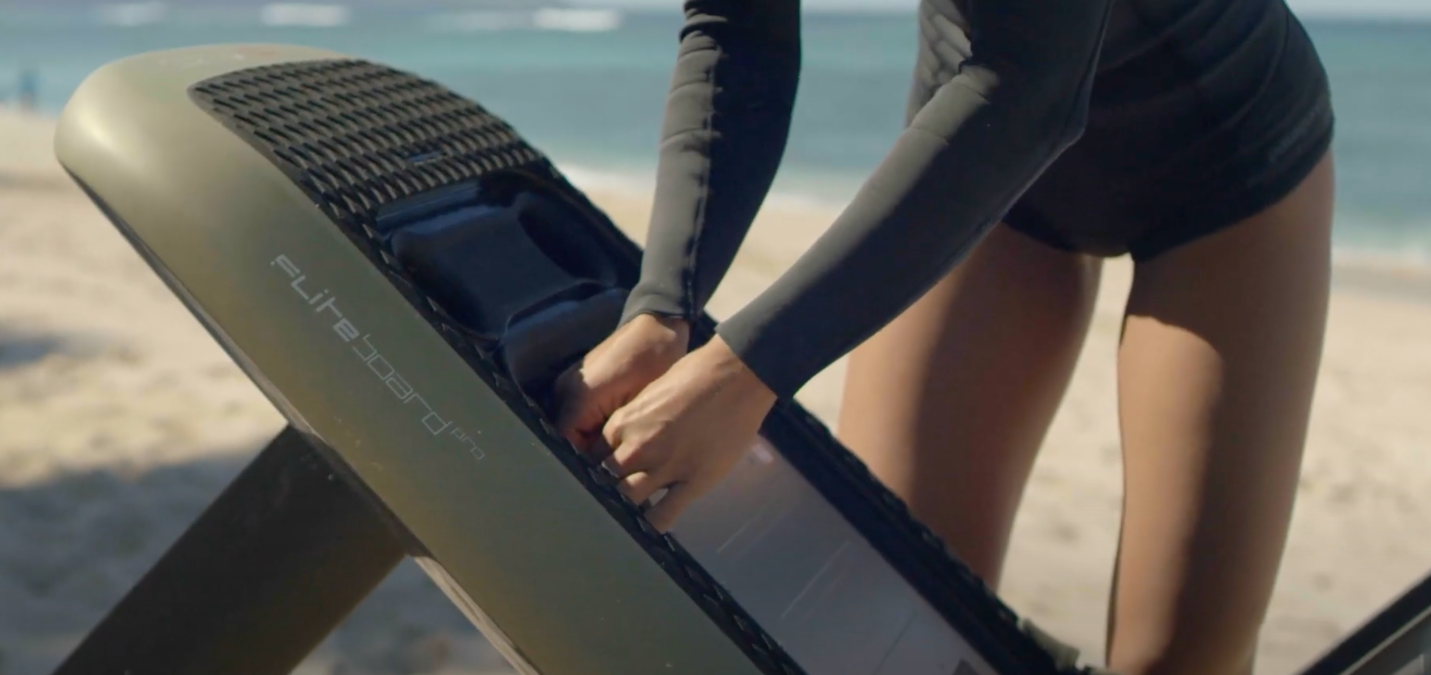
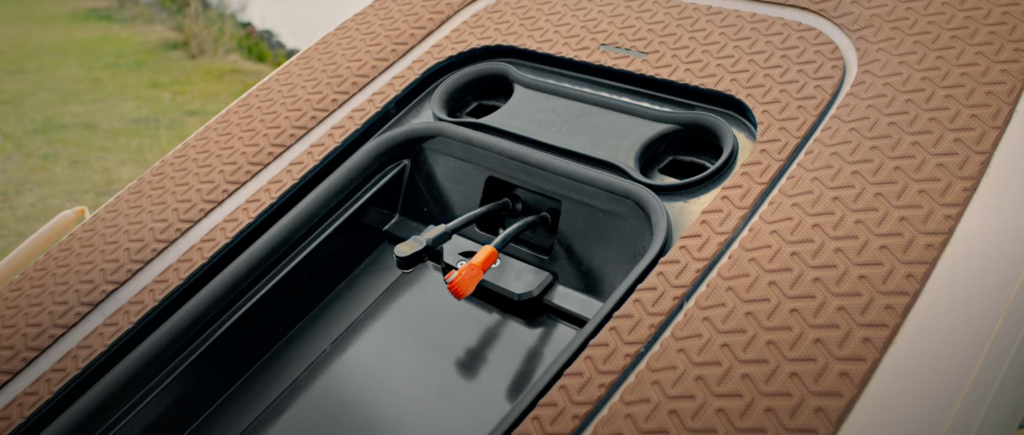
We stock and sell all three Flitecells at our shop on 30A, and we rent them, which means you can put a real session on a Nano before deciding whether 45 minutes is enough for how you ride. We also service what we sell. If a battery ever needs looking at, it goes on our bench rather than into a shipping crate, and that matters more with batteries than with almost any other part of the board, because they're the one component you can't simply mail wherever you like.
The riders we look after are spread along the 30A corridor and out either side of it, from Santa Rosa Beach and Seaside through Seagrove, Seacrest, Rosemary and Inlet Beach, out to Miramar Beach and Panama City Beach, and up the coast to Destin, where we run lessons, sales and service. Between the coastal dune lakes and the Gulf, a lot of them end up owning two batteries eventually, for the simple reason that a flat dune lake morning and a choppy Gulf afternoon aren't the same session and don't ask the same thing of a Flitecell.
That last point is worth sitting with if you ride here. Lake Powell in the early morning is about as easy as water gets: no Gulf chop, no current, minimal wake. The same board on the Gulf at two in the afternoon is working considerably harder for every minute it stays up. Riders who split their time between the two are the ones who most often come back for a second Flitecell rather than a bigger one.
Not sure? Ride one before you buy one
Every number on this page is a starting point. What a battery actually gives you depends on your weight, your wing, your water and how much of the session you spend flying rather than swimming, and none of that is knowable from a spec sheet.
So don't settle it on paper. Rent the Flitecell you're unsure about and put a real session on it. You'll know within one morning whether 45 minutes is freedom or frustration, and whether the Explore's extra range is worth the walk back to the car.
If you would rather have the answer before you order, send us the board you're configuring and we'll come back with a battery recommendation and a real out-the-door price. We're an authorized Fliteboard dealer, school and service center on the Emerald Coast, which means we're the ones who see which batteries actually come back for a second one.
Flitecell batteries: common questions
How long does a Fliteboard battery last on one charge?
Between 45 minutes and 2.5 hours of foil time depending on which Flitecell you have. Fliteboard puts most riders at 60 to 90 minutes under average conditions on a Sport. Rider weight, wing size, speed and how rough the water is all move that number, and a beginner will get less than an experienced rider on the same battery because of the constant stopping and restarting.
How heavy is the Flitecell Explore?
31 lb (13.9 kg), against 23.4 lb for the Sport and 13.7 lb for the Nano. It also holds the most energy at 2.1 kWh, and those two facts are the same fact: across the three Flitecells, weight and capacity climb together at almost exactly the same rate.
Which Flitecell comes standard with a Fliteboard?
The Sport. It's Fliteboard's standard battery and the one most builds leave with unless you ask for something else.
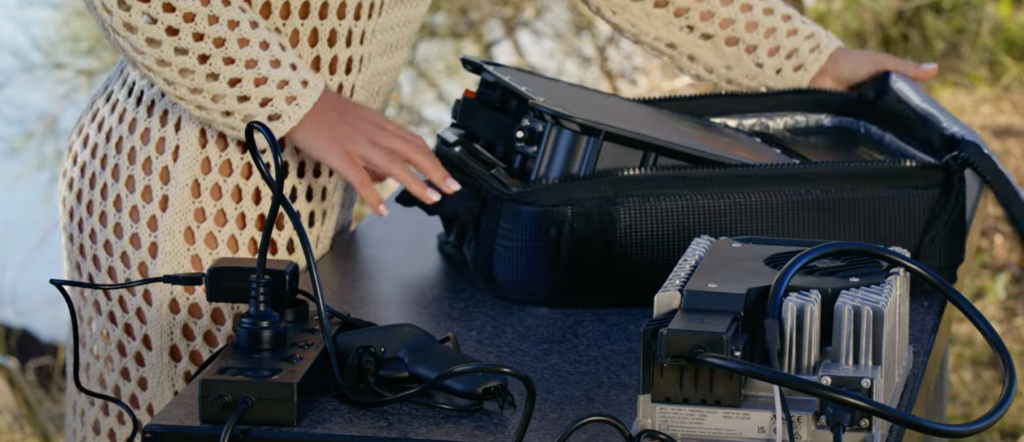
How long does it take to charge a Flitecell?
That depends far more on your charger than on your battery. With the 25 amp Fast Charger, Fliteboard puts the Nano at under 50 minutes, the Sport at under 1.5 hours and the Explore at under 2 hours. With the 6 amp basic charger, those same three take under 3.5 hours, under 6 hours and under 9 hours.
That gap is the real argument for the Fast Charger. Charging safely is a subject of its own, and we cover it properly in our guide to charging an eFoil battery.
Does every Flitecell fit every Fliteboard?
Almost. The ULTRA L3, the Flite AIR and the AIR PRO don't take the Flitecell Explore, and the FliteScooter isn't offered with the Nano. Every other board in the Series 6 range accepts all three.
Can I own more than one Flitecell?
Yes, and plenty of riders do. A second battery is the most common upgrade after the first season, usually a Nano alongside a Sport so there's a light option for quick sessions and a longer one for full mornings.
Still not sure which Flitecell to order?
Rent the one you're unsure about, or send us the board you're configuring and we'll come back with a recommendation and a real out-the-door price.